
Podcast Interview Editing Checklist: Clean Up Umms, Pauses, and Room Noise
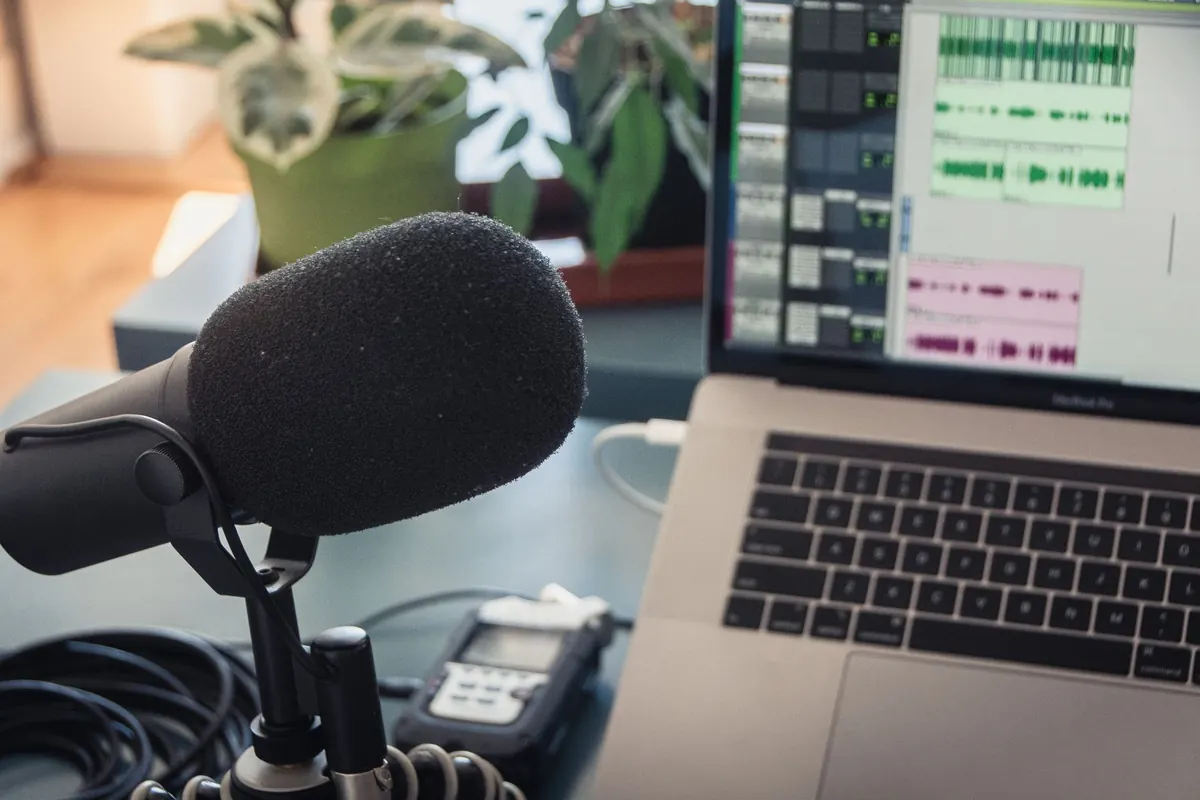
An interview is rarely ruined by one big thing. It is ruined by small ones: forty-two umms, a fridge humming two rooms away, and three silences long enough to make a listener check whether the app crashed. None of those are difficult to fix. They are just easy to miss when you edit in whatever order the problems happen to appear on the timeline.
What follows is a checklist meant to be worked in order, pass by pass. It assumes you want the guest to still sound like a person when you are finished.
Duplicate, Label, and Listen Once Without Editing
Before you touch anything, duplicate the session and name the copy something you will recognize in a month. Keep the raw file untouched and sealed. Open the duplicate, label the tracks (Host, Guest, Room Tone), and set the timeline to show seconds rather than bars.
Then listen from start to finish at a comfortable volume and do nothing but drop markers. Mark every cluster of umms, every long pause, every chair creak, every plane that passed overhead. You are drawing a map, not making cuts.
The temptation is to start deleting during that first listen. Resist it. Editing while you are still discovering problems means you make decisions twice, and you start cutting for the wrong reasons — a pause that felt long in the moment is often exactly what the answer needed.
Listen on two systems before you decide anything is fine. Headphones reveal mouth noise, plosives, and room tone. A phone speaker flattens dynamics and exposes every seam you cut too aggressively. If a join survives both, it is probably good.
Sort the Problems Before You Cut Anything
Not every flaw deserves a fix. Some hesitation is character. Sort what you found into these categories and fix them in this order:
- Mechanical noise — mic bumps, chair scrapes, lip smacks, a pen tapping the table
- Room problems — steady hiss, electrical hum, traffic, a fridge that cycled on
- Verbal tics — umm, uhh, "you know", "sort of", a repeated "right?"
- Dead air — silences that are not doing any work
- False starts and repeats — a sentence abandoned and begun again
- Content problems — a tangent, a duplicated anecdote, a muddled answer
Work from least invasive to most. If you start by rearranging answers, you will do the work twice when you realize the room noise needed a full pass first anyway. And set your standard early: fix what a listener would notice, leave what only an editor would notice.
Cut Dead Air, Keep the Breath
Silence is not the enemy — dead air is. A four-hundred-millisecond pause between an answer and the follow-up sounds like thought. A four-second pause sounds like a dropped connection. A workable rule: leave anything under about a second alone, and trim the long gaps down to a beat rather than deleting them. Never cut a pause to absolute zero; leave a couple of hundred milliseconds of air around the join.
The room tone habit
Every cut removes noise as well as sound. Splice two sections together and you also splice two different noise floors, which is why careless edits seem to "breathe" — the background gets louder, then quieter, then louder again. Capture thirty seconds of clean room tone at the start of every recording, and keep it on its own track. When you remove a long pause, lay room tone underneath the new gap and crossfade generously at both ends.
Breaths are a separate matter from pauses. Do not remove them all. A speaker with no audible breaths sounds synthetic and slightly unsettling. Remove the gasps and the wet ones, keep the quiet ones that lead into a sentence, and reduce rather than delete anything in between.
Handle Umms and Verbal Tics With a Light Touch
Not every umm is a problem. One at the top of a hard answer signals that the guest is thinking, and cutting it makes the reply feel unnaturally immediate. Cut in clusters, cut the loud ones, cut the ones that land on top of the other person's question, and cut repeated words at the start of a sentence ("I think, I think...").
A reliable sequence for each cut:
- Zoom in far enough that you can see individual waveform cycles.
- Set the edit boundaries just outside the offending sound, not through it.
- Apply short fades — five to fifteen milliseconds is usually enough — on both sides of the join.
- Fill the gap with room tone if the noise floor shifts.
- Zoom back out and listen to the join at normal speed, then again in context with the surrounding ten seconds.
Watch for the machine-gun edit. If you delete every hesitation, the guest sounds defensive and rushed, like someone being interviewed under oath. The goal is a person who is articulate, not a person who has been sanded down. For false starts, cut from the beginning of the abandoned phrase to just after the restart, and leave the restarted word fully intact — never slice a word in half to save a syllable.
Room Noise: Work in Layers, Not One Big Button
Process in this order, and listen again after each step: a gentle high-pass filter to clear rumble below the voice, a narrow notch on electrical hum and its harmonics if you have it, light broadband noise reduction, repair of individual clicks and bumps, and a de-esser only if the guest needs one. Heavy noise reduction is the easiest tool to overuse. Too much and the speaker sounds like they are underwater, consonants start to lisp, and the whole interview takes on a glassy quality. A faint hiss is almost always a better outcome than an obvious artifact.
Consistency beats perfection
A little steady noise is invisible; noise that rises and falls is distracting. If two guests were recorded in different rooms, or a fridge cycled on halfway through, level the noise floor with room tone rather than trying to scrub it to silence. And if a room has real reverb, do not fight it. Use a light de-reverb if you must, then accept the character — a live-sounding room is warmer than a heavily processed one.
The Naturalness Check
Before you call the edit finished, run this list against the whole episode:
- Do any joins click, pop, or drop in level?
- Does the guest still have a breathing rhythm?
- Did the laughs survive? Never cut a laugh to save four seconds.
- Are the small interjections — "mm", "yeah", "right" — still there? They are the texture of a conversation.
- Does the pace vary, or is it a flat run of fast cuts?
- Does it hold up on headphones and on a phone speaker?
- Does it still make sense at 1.25 speed, where clipped edits become obvious?
Final Pass and Handoff
Listen all the way through once without stopping. Take notes, then fix everything in a single batch — stopping to fix each problem as you hear it is how sessions stretch into the night and how mistakes slip through. Then level the voices so the two sides of the conversation sit close together, add gentle compression, and put a limiter on the master as insurance. Many podcast platforms normalize playback somewhere around -16 to -14 LUFS integrated, so check your host's published spec before you export.
Keep two files: the finished mix, and a clean edit containing the raw audio with your cuts but no music or processing. You will want it when a guest asks for a clip, or when you decide three weeks later that a section should come back. Name both with the episode number and a version, and jot down anything the guest should know before publish — a tangent you removed, a name you corrected.
The test is not whether a listener can hear the edits. It is whether they forget they are listening to an edited file at all.
Photo: Jeremy Enns / Pexels